
Fabrication
Fabrication takes a design to the machine: a laser cutter, a router, a 3D printer. These nodes are olive on the
canvas. Measures are in metres by default, as everywhere in Tensela: 0.003 is a 3 mm sheet (or type 3 mm; see Preferences).
The usual path to a cut file: cut the shape into boards with Sections (and Slots for a waffle), lay them flat with Lay flat, add their numbers with Numbers and sheets, and export with File → Export → Cutting file: red lines to cut, blue to engrave.
Cut the shape
Section titled “Cut the shape”Sections
Section titled “Sections”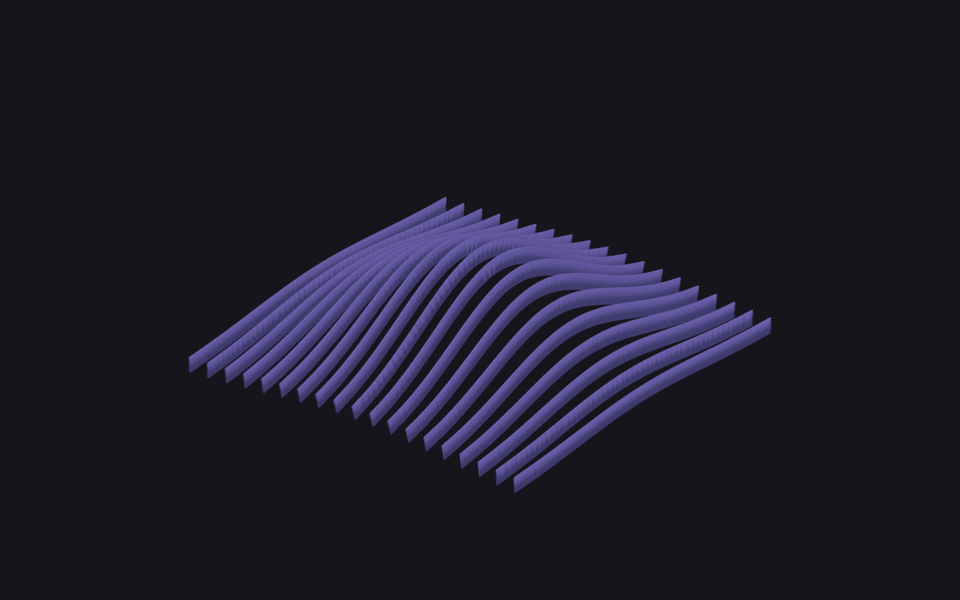
What for. To cut a shape into boards of a sheet’s thickness, each one a closed outline ready to cut: a terrain model, a sliced landscape, a pavilion of ribs. Glued in order, the boards rebuild the shape.
| Input | What it means |
|---|---|
| shape | a surface, a mesh or a body |
| thickness, gap | of the boards, and between one and the next (0: glued together) |
| cuts | x, y, z (level boards, stacked), radial (like the segments of an orange) or along a curve |
| count | how many radial boards |
| guide | the curve the boards follow, each one square to it (a spine, the axis of a leaning tower) |
| piece | how the section of a surface becomes a piece: a band that follows it, or to base, down to a common base |
| depth | how deep the band is, or how far the base goes under the lowest point |
| show | the outlines to cut, or the boards with their thickness, to see them |
What for. Where two families of boards cross (a waffle, an egg-crate), a slot halfway in each: one slotted from above, the other from below. Slotted, the boards slide into one another and the structure holds itself.
| Input | What it means |
|---|---|
| first, second | two families of flat boards that cross (Sections across x and across y) |
| thickness | of the boards: the width of each slot |
| clearance | added to the slot so the boards go in (a laser: 0.1 to 0.2 mm; a router: more) |
| slotted | which family is slotted from above |
| show | the first or second family with its slots, ready to lay flat, or all the boards |
Plates
Section titled “Plates”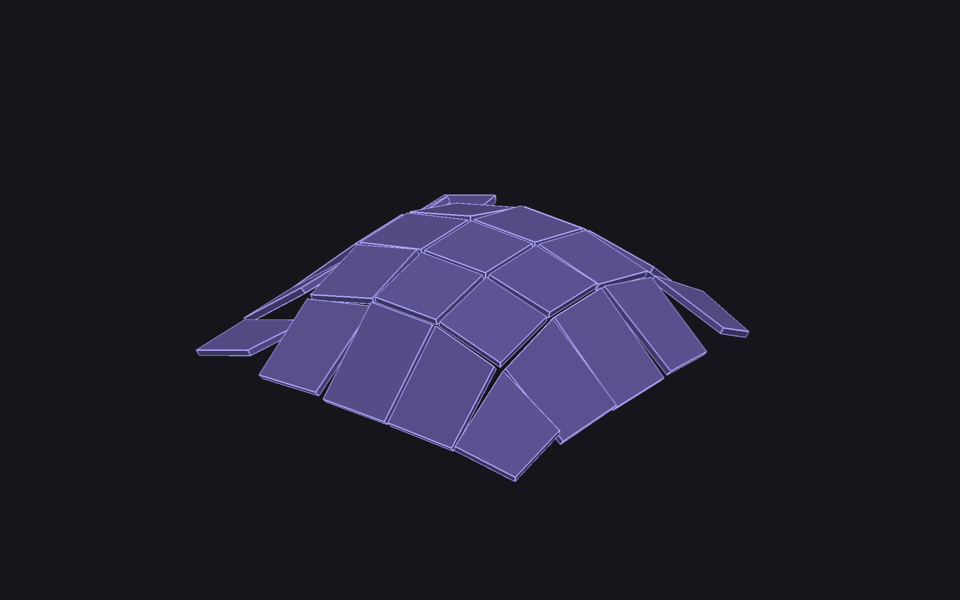
What for. To turn each face of a shape into a plate of some thickness, trimmed back from each edge so the plates keep the same gap at any angle. For faceted pavilions of boards.
| Input | What it means |
|---|---|
| shape | a mesh, a box or a surface: each face, a plate |
| thickness, gap | of the board, and between two plates that meet |
| show | the plates, their outlines to lay flat, the angles of the edges, or the setbacks |
Planarize
Section titled “Planarize”
What for. To make the panels of a curved surface flat, so they can be cut from boards or glass, while they keep meeting corner to corner.
| Input | What it means |
|---|---|
| panels | the panels of a surface, sharing their corners (a Grid on a surface) |
| show | the flat panels, their flatness now, or their flatness before |
Tips.
- Easy on a vault or a scroll; on a saddle, the panels bend inwards a little.
To the machine
Section titled “To the machine”Lay flat
Section titled “Lay flat”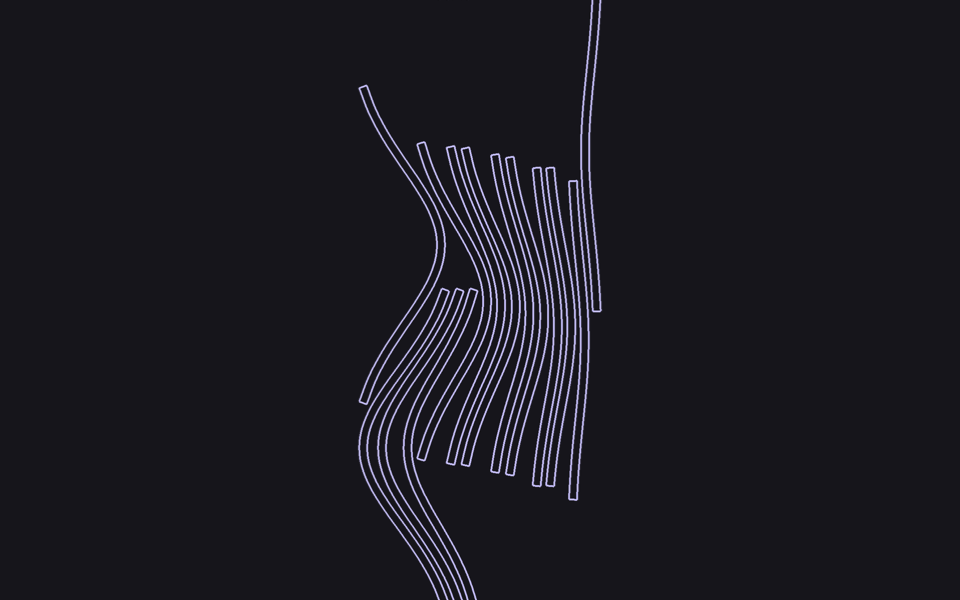
What for. To lay flat pieces on sheets, ready to cut: fitted into one another, the small ones in the holes of the big ones, each with a number inside, the same number the 3D view gives it.
| Input | What it means |
|---|---|
| pieces | flat closed curves: from Sections, Slots, Unroll… |
| width, height | of the sheet (600 × 400 mm: a laser bed; 2440 × 1220 mm: a board for a router) |
| spacing, margin | between pieces, and from the edge |
| turn | turn pieces a quarter if they fit better |
| number | the height of the engraved numbers (0: none) |
| origin | where the first sheet goes |
| more | a second family on the same sheets: numbers then carry A and B |
Tips.
- The panel says how many sheets and how much of them is used.
- If a piece does not fit, a notice says how big it is: use larger sheets, or split the piece.
Numbers and sheets
Section titled “Numbers and sheets”What for. The numbers of the pieces laid by a Lay flat, to engrave, or the outlines of its sheets. They always follow the pieces.
| Input | What it means |
|---|---|
| laid | the pieces of a Lay flat |
| show | numbers or sheets |
| lettering, weight, reading, font | how the numbers are drawn: single stroke, bold or outlined; along the sheet or turned |
What for. Boards with their edges eased, to see them, print them or mill them with a bevel bit. A laser always cuts straight.
| Input | What it means |
|---|---|
| pieces | flat outlines, or the boards of Sections |
| thickness, size | of the board, and how far the bevel goes |
| profile | rounded, chamfer, cove, or custom (drawn with a curve) |
| segments | facets of the rounded or the cove |
| faces | both faces, top face or bottom face |
Print check
Section titled “Print check”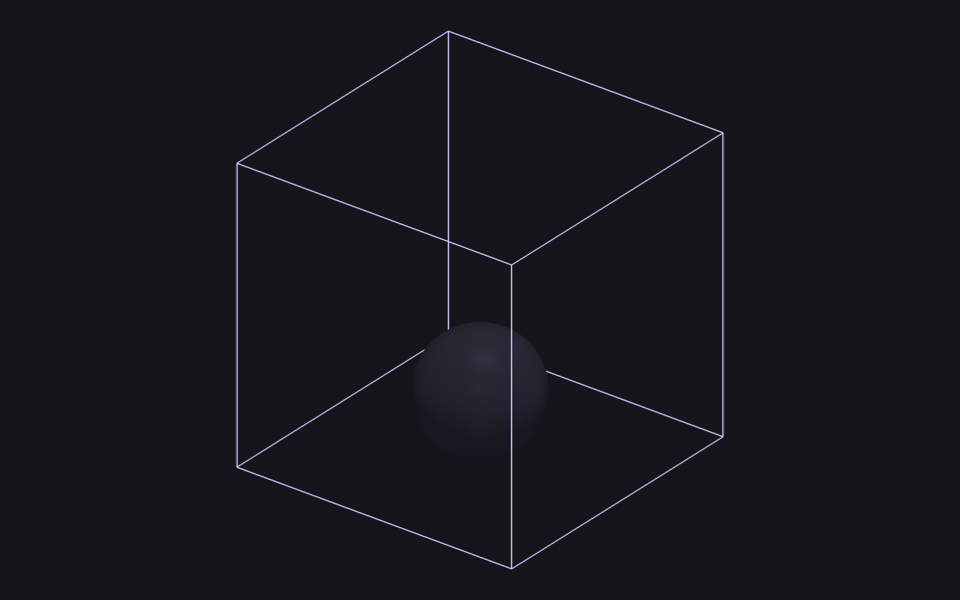
What for. To know whether a piece can be 3D printed, and if not, why and where: closed, every edge between two faces, faces turned outwards, not crossing itself, fits the printer, no wall too thin.
| Input | What it means |
|---|---|
| geometry | the piece, or several |
| show | the problems as red lines, whether it is ready, or the printer volume around it |
| width, depth, height | the printer’s build volume |
| thickness | the thinnest wall it can make (0: not checked) |
Tips.
- A rectangle is not closed: it has no volume and cannot be printed. Give it thickness first.