The window
The window has two main areas and a few panels around them.
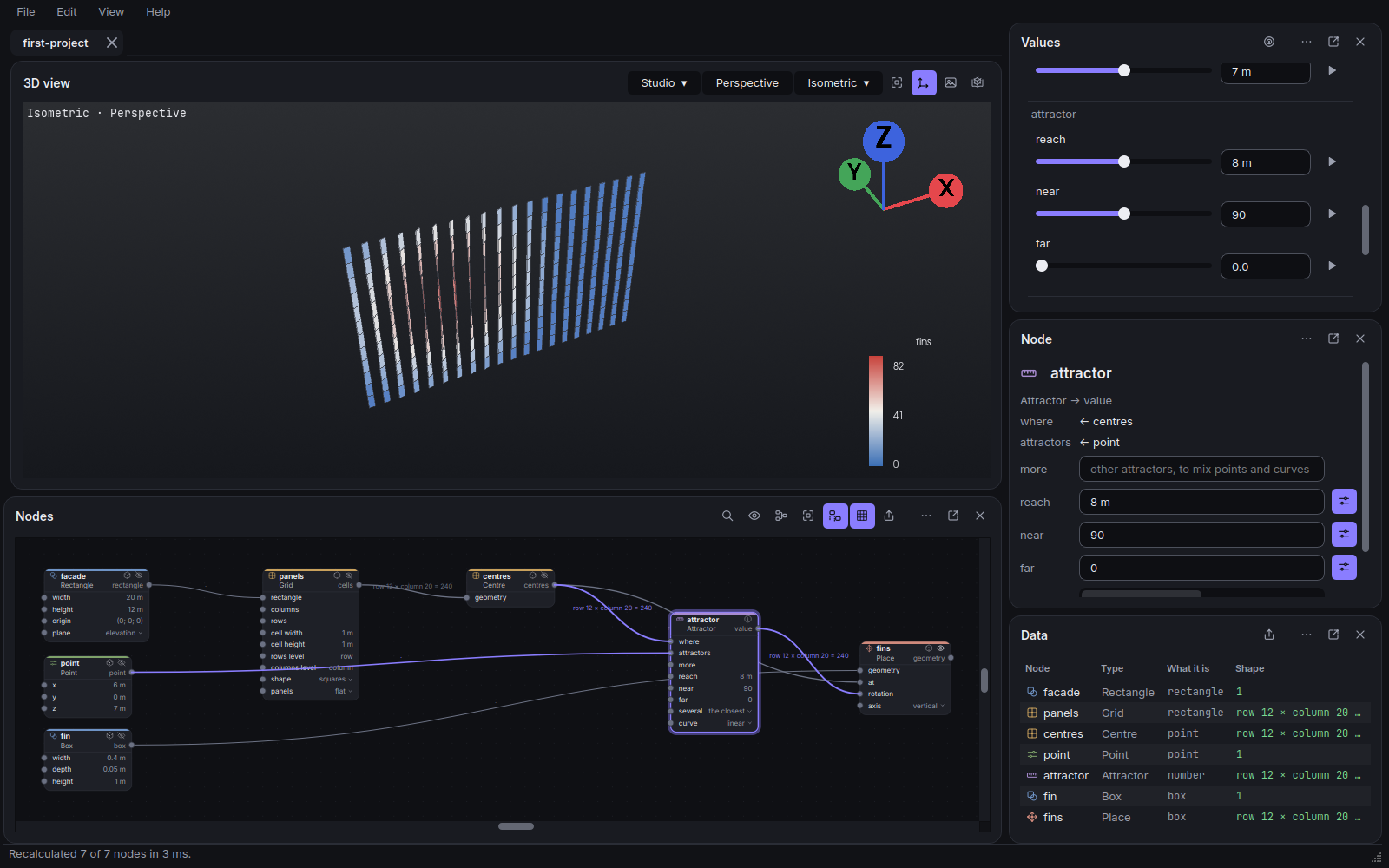
| Area | What it is |
|---|---|
| The canvas | where the nodes and cables are. See The canvas. |
| The 3D view | what the nodes make, updated as you work. See The 3D view. |
| The panels | Node (the settings of the chosen node), Values (sliders), Data, Nodes, Library and Croquis. See The panels. |
| The tabs | each open project is a tab, like in a browser: right-click a tab to close, rename, duplicate or find its file. |
Arranging the window
Section titled “Arranging the window”- Panels can be dragged by their title, stacked as tabs, or floated. View → Panels shows or hides each one.
- View → Workspaces saves the current arrangement with a name, to come back to it; View → Workspaces → Factory layout puts everything back as it came.
- View → Mode switches between light and dark; Preferences has the rest of the appearance. See Preferences.
The menus at a glance
Section titled “The menus at a glance”| Menu | What is there |
|---|---|
| File | new, open, recent, save, close; Export to images, drawings, 3D, 3D printing and cutting; Open in another program |
| Edit | undo and redo, add a node, find a node, copy and paste, group, Find the best…, Preferences |
| View | frame, isolate, show and hide nodes, arrange and align nodes, the grid and guides, colour legends, panels, workspaces, mode |
| Help | the manual (without internet), help for the chosen node (F1), shortcuts, the PDF, community, report a problem, support Tensela, About Tensela |
Help → Manual opens this manual from your computer, without internet. With a node chosen, F1 opens it at the part about that node. Help → About Tensela shows its version, its licence, the people to thank and the libraries it is built with.